
How to send a booking request
Send us in the request form or in the chat:
-
Airbnb listing link
For example,
https://www.airbnb.com/rooms/12345678. How to copy the link -
Check-in and check-out dates
-
Number of guests
-
The email of your Airbnb account
Airbnb sends the invitation to it. No password needed. How to find your account email
-
Phone number or Telegram @username
We message you here after the request.
-
Comment — optional
Anything important for the trip. For example: we travel with a 5-year-old child and a dog.
1. Listing link
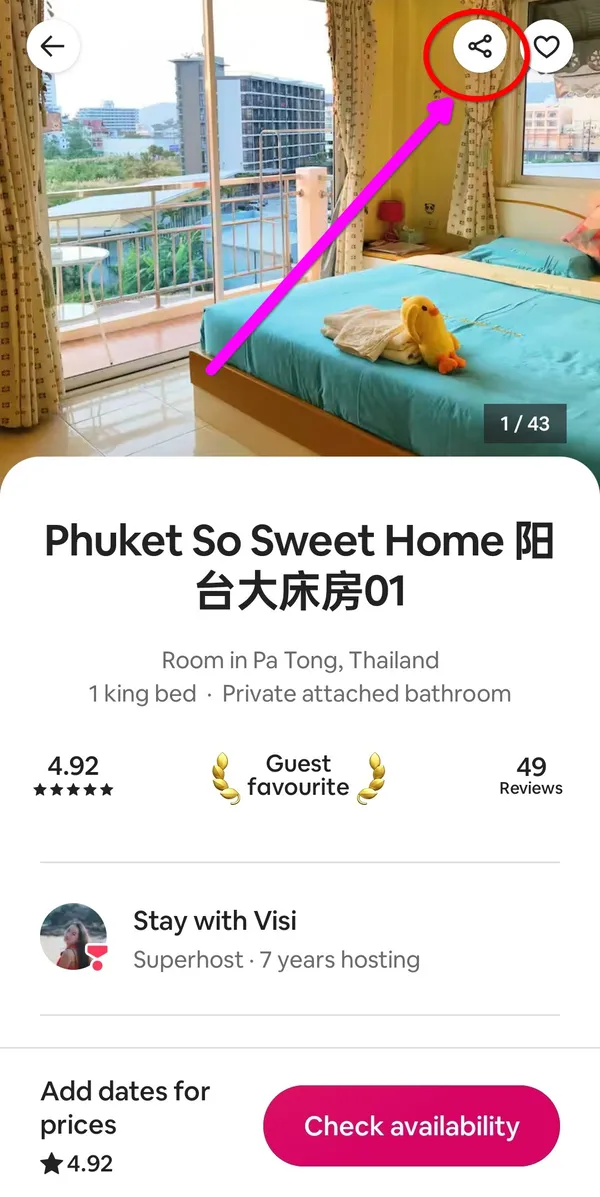
In the app
- Open the listing and tap the “Share” icon in the top right corner, next to the heart.
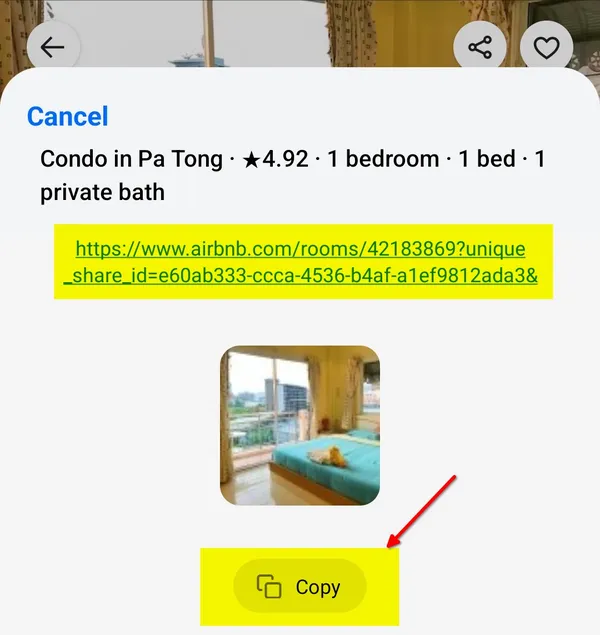
- In the window that opens, tap Copy. The link is copied to the clipboard.
On the website
Open the listing on airbnb.com and copy the address from the browser address bar.
The link looks like this: https://www.airbnb.com/rooms/12345678. If there is a “?” and other characters after the number, that is fine: you can paste the full link.
2. Airbnb account email
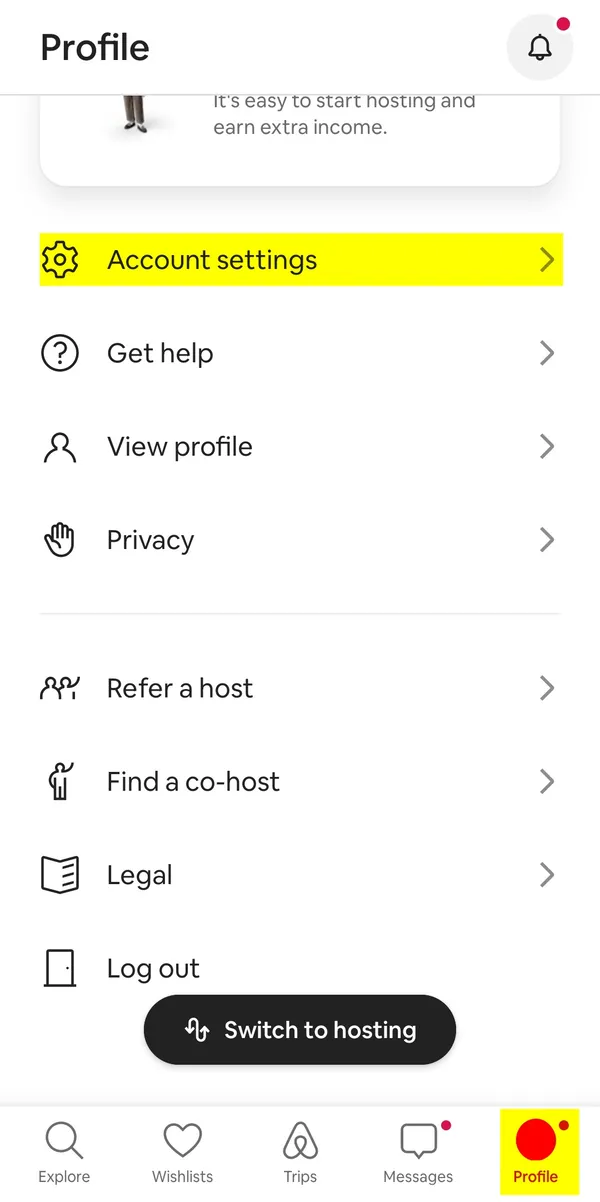
The Airbnb invitation goes to the email of your account. If you do not remember this address, check it in the app:
- Open the Profile tab at the bottom of the screen and select Account settings.
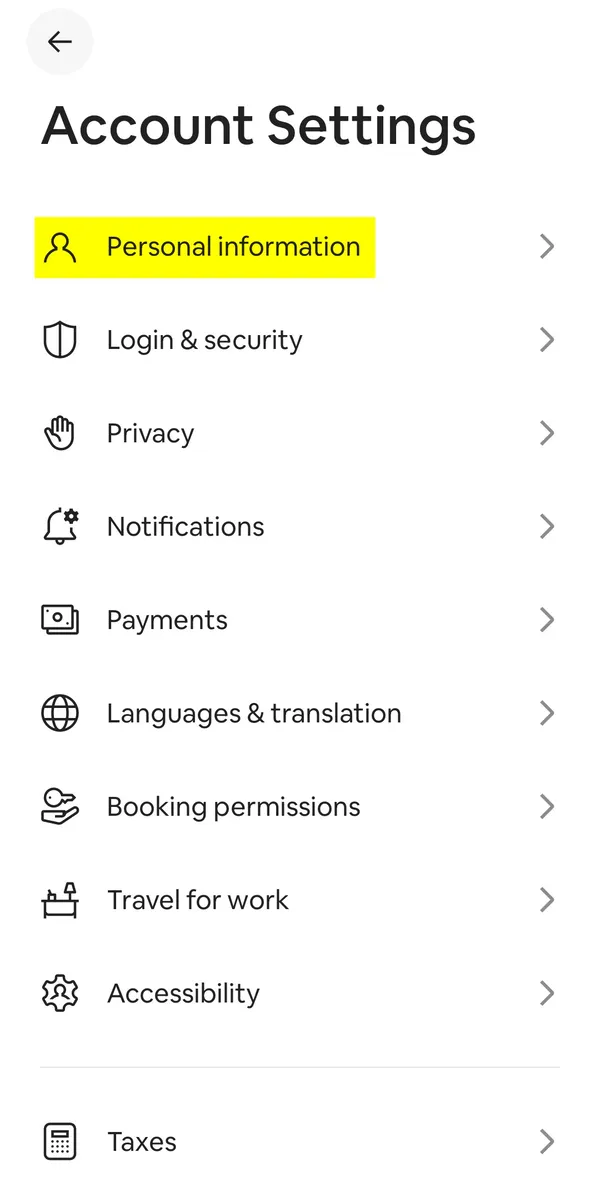
- Open Personal information.
- The address is in the Email row.
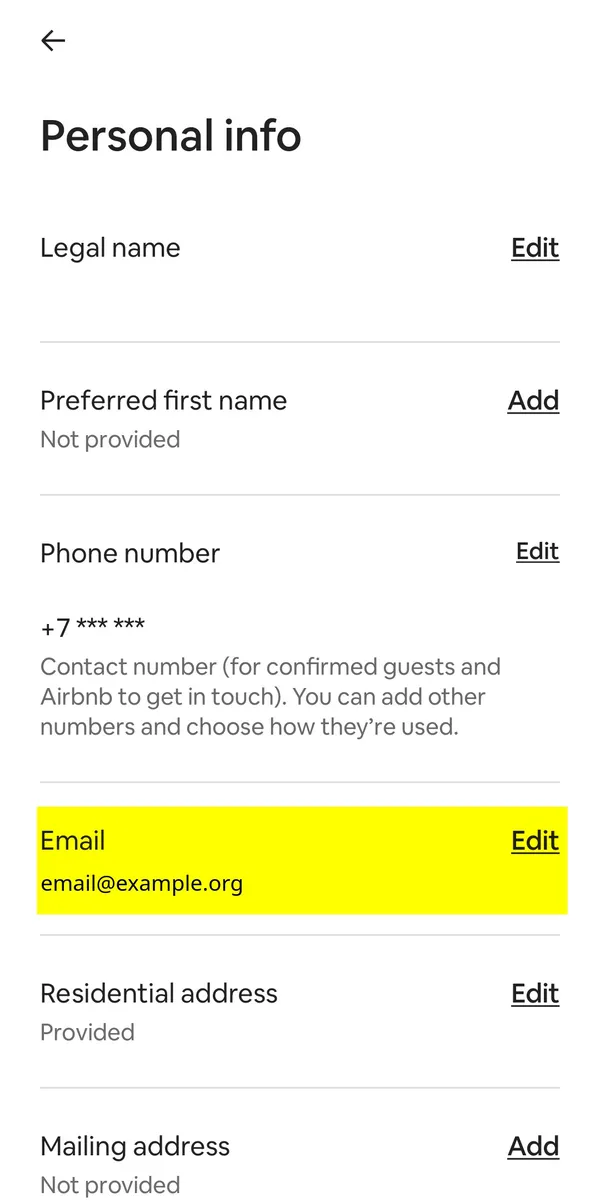
On the website, the same address is on the Personal information page (you need to log in).
We do not need your account password. Do not send it to anyone.
3. What happens after the request
- We check the listing and tell you the total with our fee.
- Airbnb sends you an email with an invitation. Open the link and let us book for you.
- You pay us in USDT or USDC.
- We book and pay for the place. The trip appears in your account, and you talk to the host directly.